हिन्दी · తెలుగు · தமிழ் · ಕನ್ನಡ · മലയാളം · বাংলা · मराठी
A real video editor built for India's languages
Edit, caption and dub in Hindi, Telugu, Tamil and more. AI edits you review before they happen, pre-export checks that catch problems, hand-off to Resolve and Premiere, and credit pricing you can read.
Free plan, no card needed. Runs in your browser.
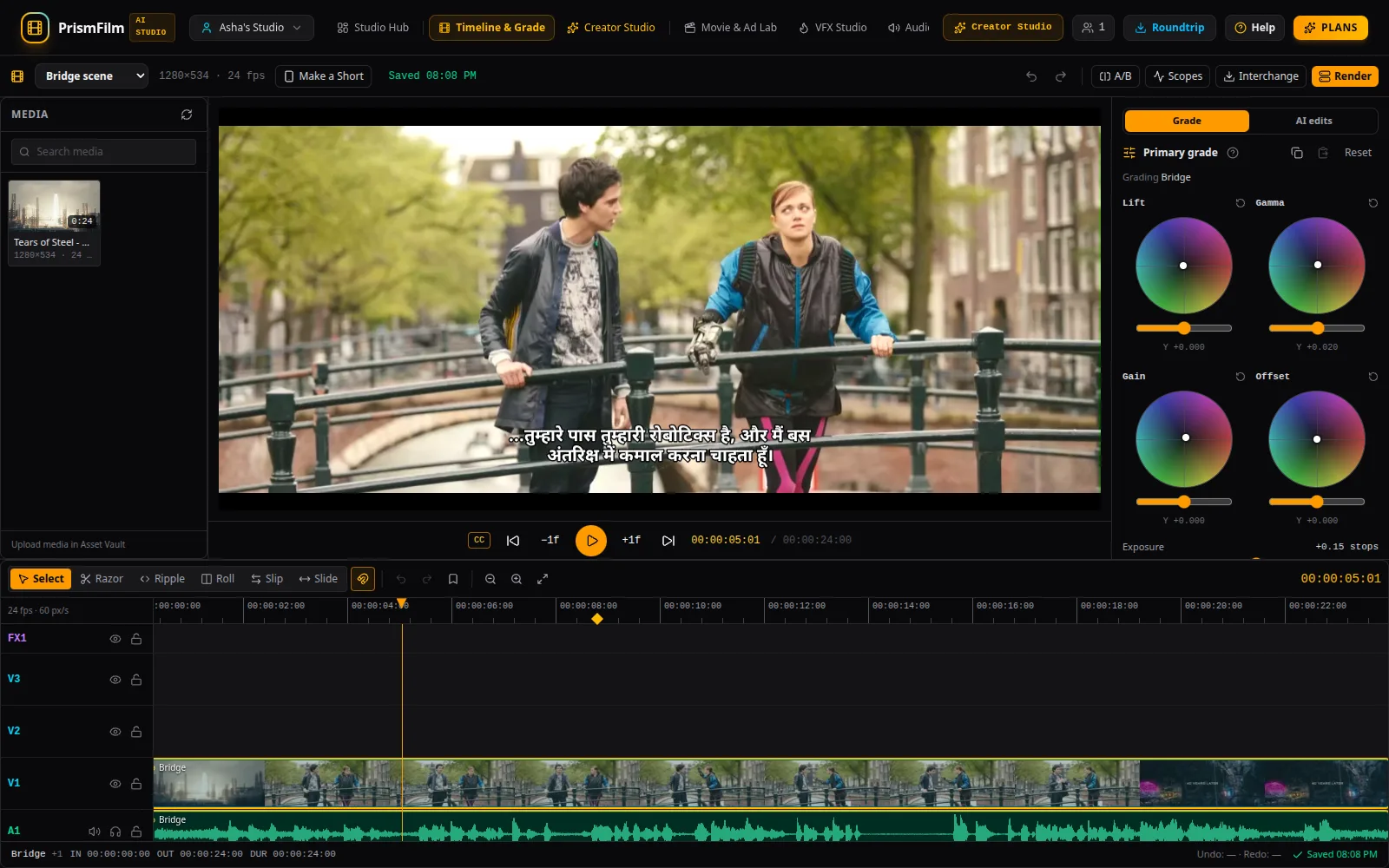
Screenshots show the sample project. Footage: Tears of Steel © Blender Foundation, CC BY 3.0, mango.blender.org. Credits
Demo
Captions that read right in every script
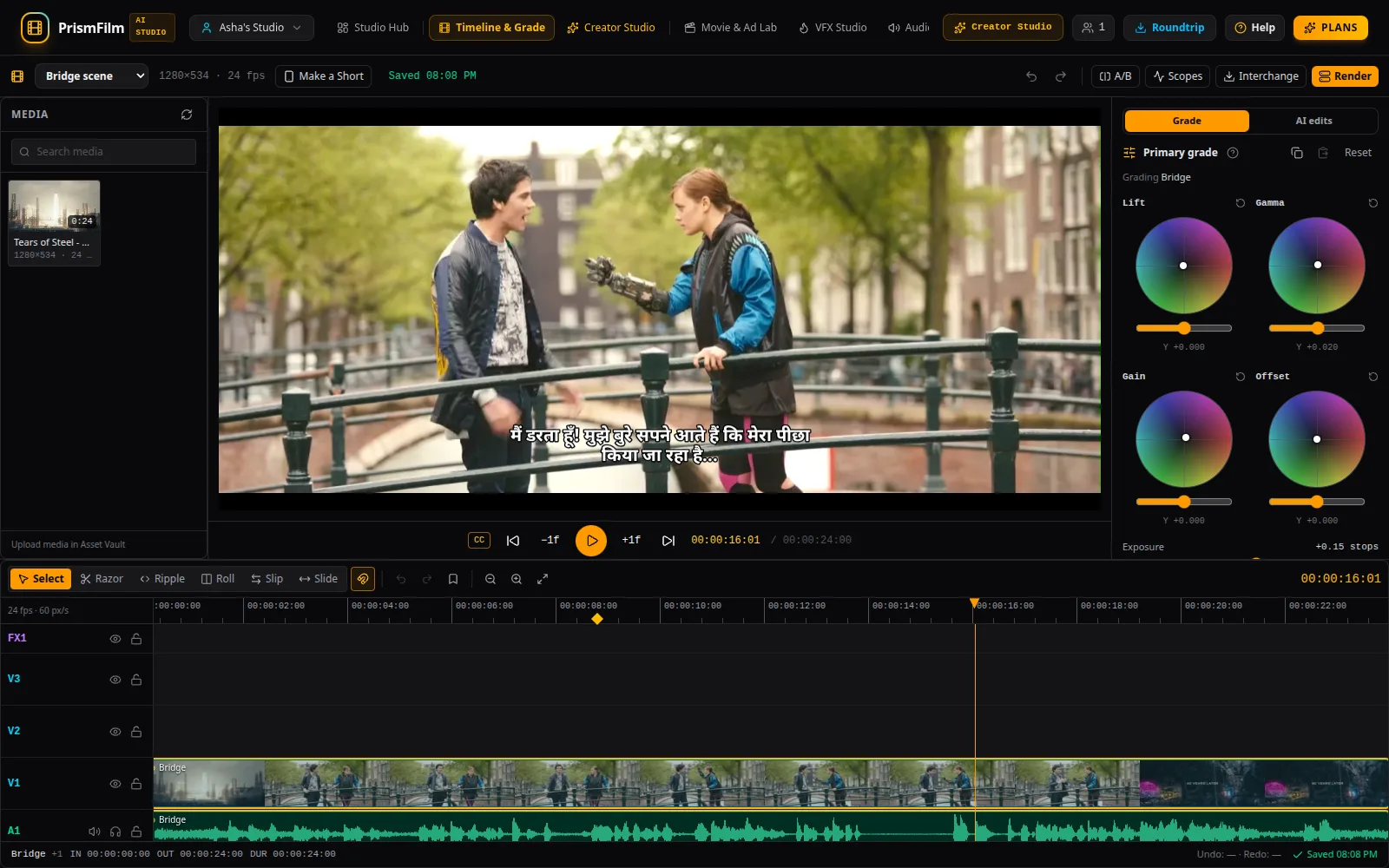
Transcribe with language detection that follows speakers who switch between Hindi and English mid-sentence, then show captions in native script or in romanized "Hinglish" style.
Conjuncts and vowel signs are shaped correctly in the preview and in the burned-in export, not broken into pieces.
Translate a caption track into other languages and edit the translation line by line next to the original.
Dub into Hindi, Telugu, Tamil and more
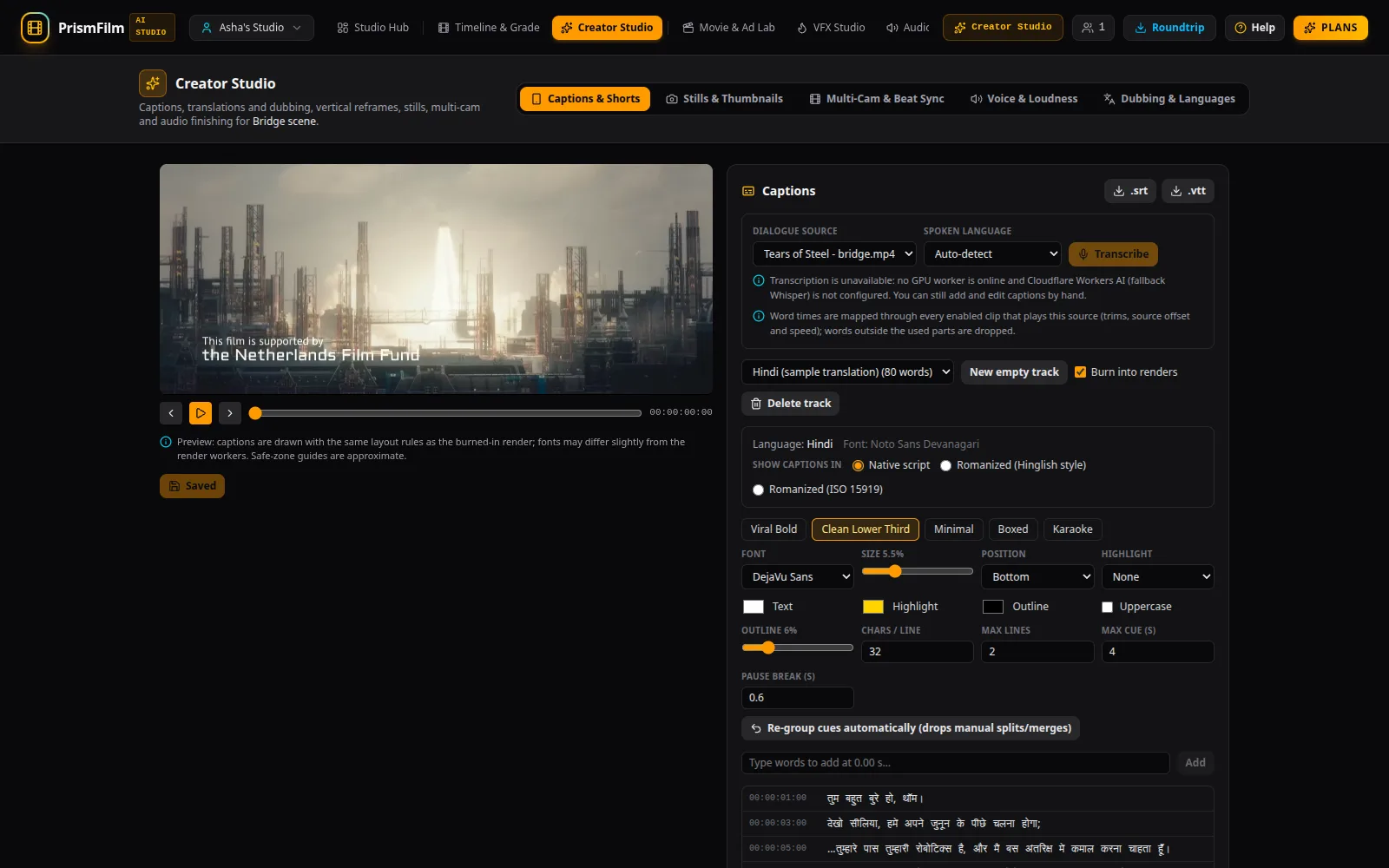
Pick a voice per speaker; each translated line is spoken, fitted to the timing of the original line, and lines that are too long are flagged so you can shorten them.
The dub lands on its own track. The original dialogue is lowered under it, or removed and replaced by the music-and-effects stem where stem separation is available.
Export one file per language, or one file with an audio track per language.
AI edits you review before they happen
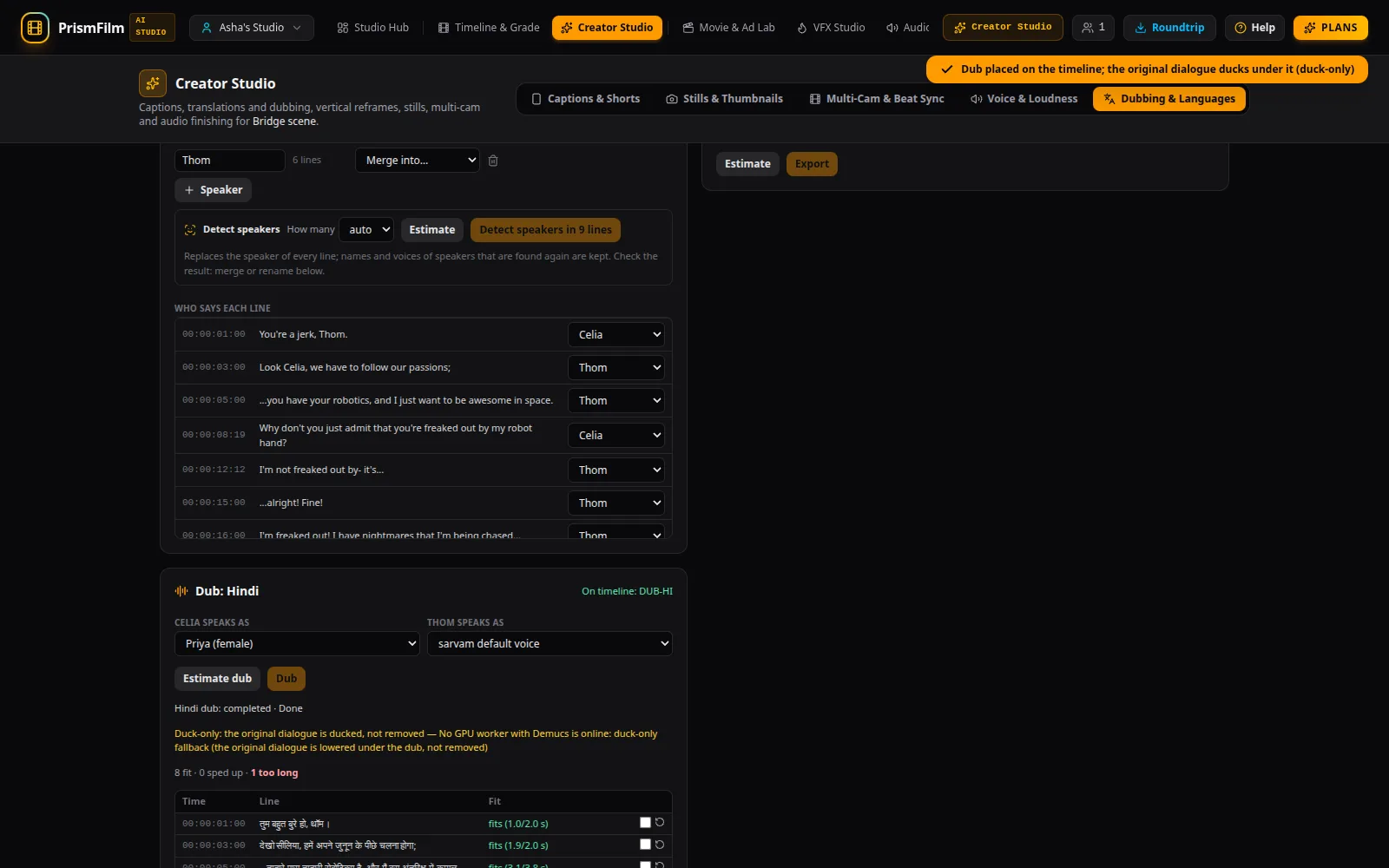
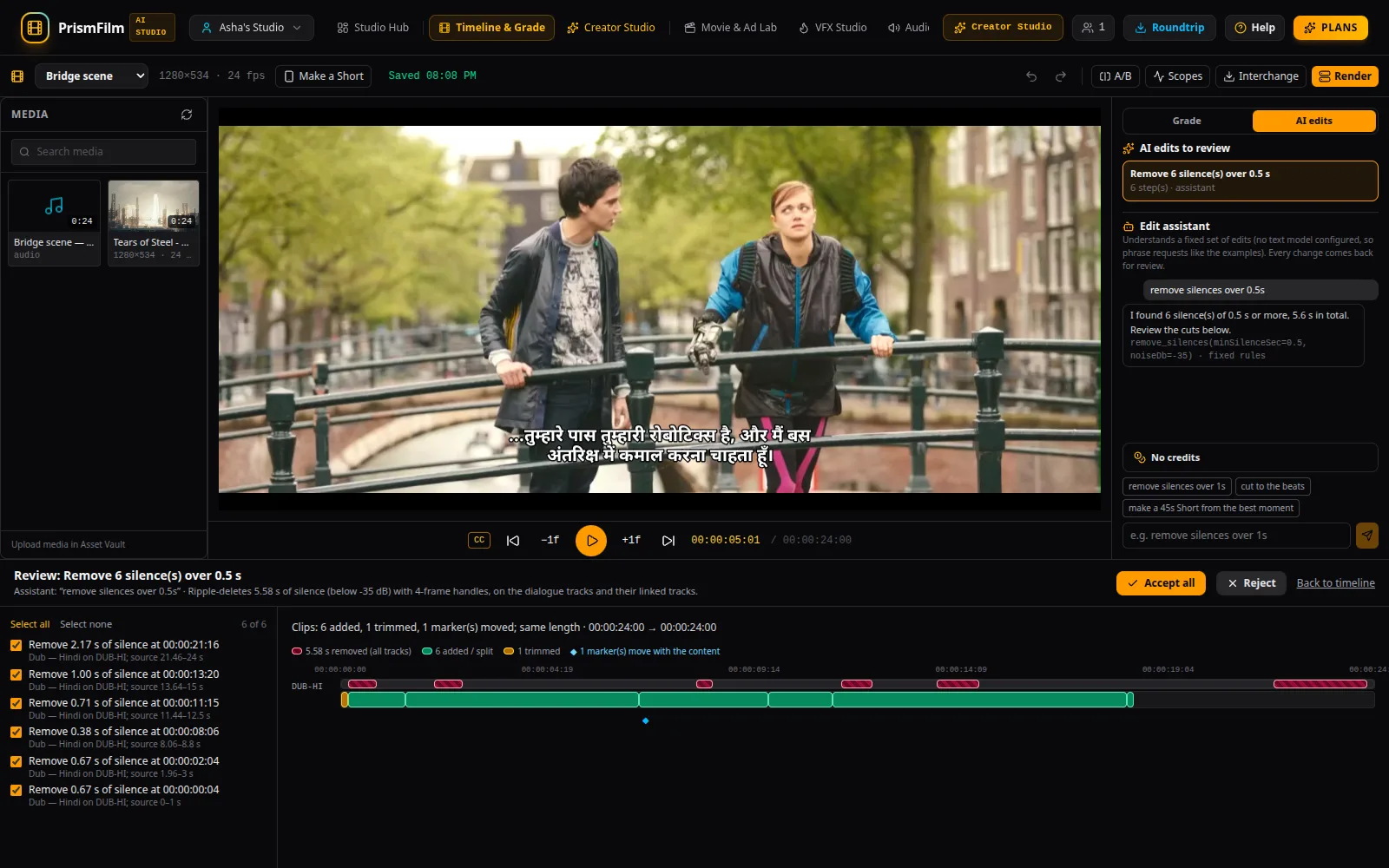
Ask for "remove silences over 1 s" or "cut to the beats": every AI change arrives as a proposal you see as a before/after diff on the timeline.
Accept all, some or none. What you accept is a single undo step. Nothing changes behind your back.
"Make a Short" creates a new 9:16 sequence from a range you pick or the measured best moment, with a vertical reframe and that range's captions. Your original edit is never touched.
Pre-export QC catches problems before your audience does
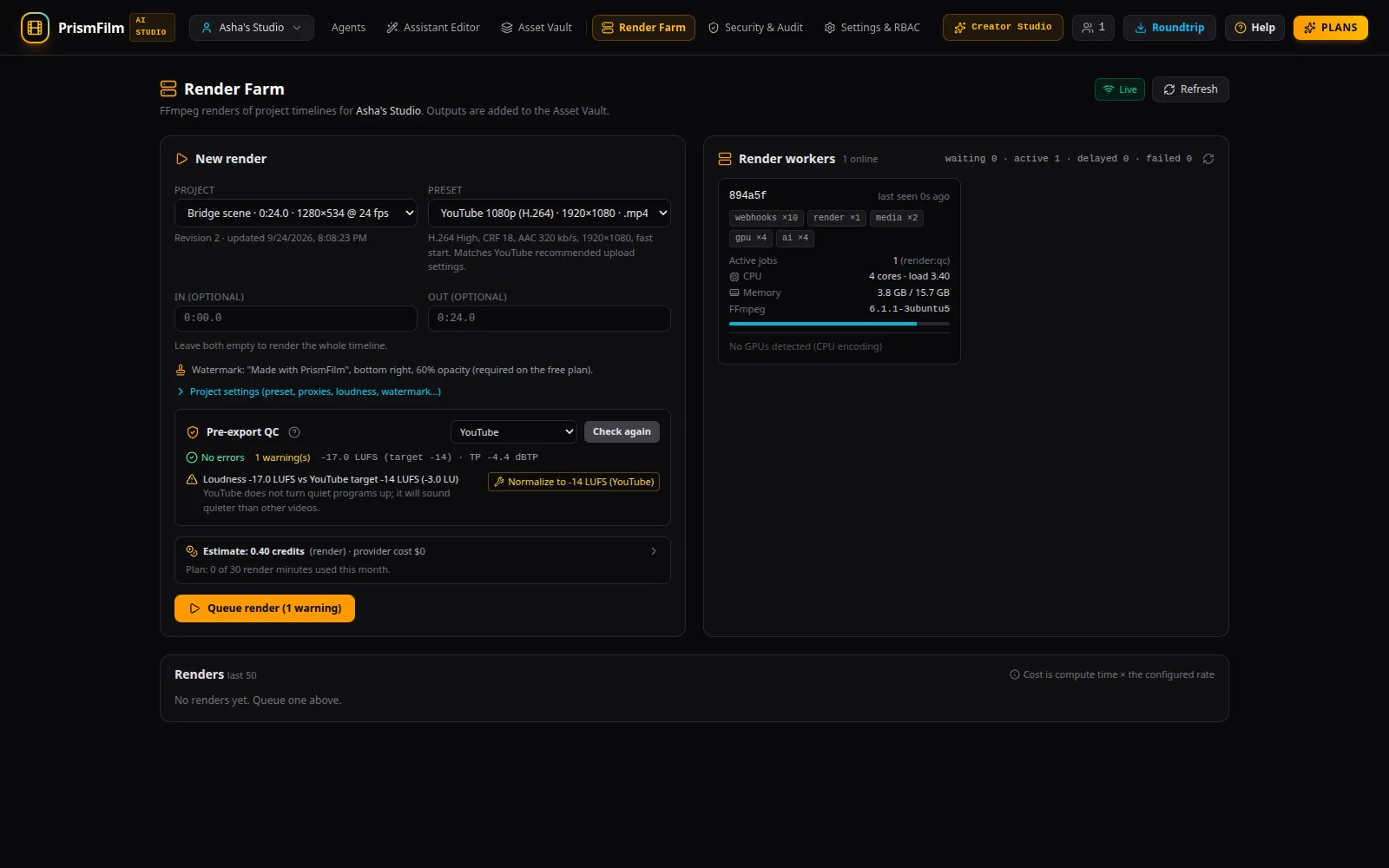
Before every export: missing media, loudness against the platform target, true peak and clipping, black and frozen frames, and captions hidden under the YouTube Shorts, Reels or TikTok buttons.
Errors block the export; many problems have a one-click fix.
A real timeline and real colour grading
Multi-track timeline with trim, ripple, roll, slip and slide, and markers that move with ripple edits.
Lift/gamma/gain wheels, LUTs and scopes (waveform, parade, vectorscope), rendered identically in the preview and in the export.
Hand off to DaVinci Resolve or Premiere Pro
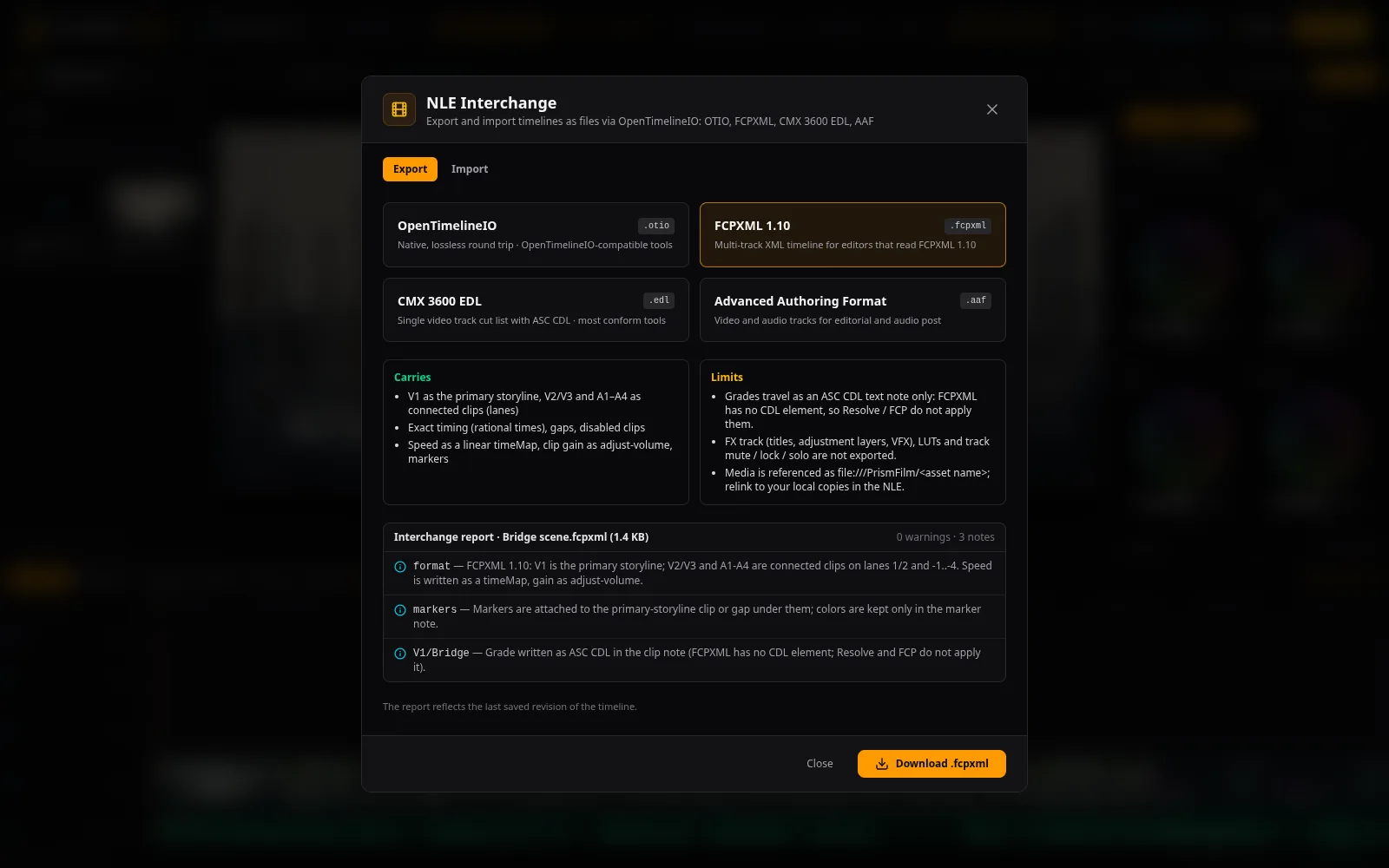
Export FCPXML for Resolve and Final Cut, FCP7 XML for Premiere Pro, EDL, AAF or OpenTimelineIO, with transcript markers, rated selects and bins.
Import FCPXML, EDL, AAF and OpenTimelineIO timelines too, with a report of anything that did not carry over.
Questions
+Which languages does PrismFilm support?
Captions, translation and dubbing cover Hindi, Telugu, Tamil, Kannada, Malayalam, Bengali, Marathi and English. Captions can be shown in native script or romanized.
+What is a credit?
One credit is one metered minute: a minute of rendered output, or a minute of media processed by an AI task (transcription, dubbing, stem separation). AI text features such as the editing assistant use credits in proportion to their cost. Every job shows its estimate before you start it.
+Is there a free plan?
Yes. The free plan includes 30 render minutes and 10 AI minutes a month and 5 GB of storage. Videos exported on the free plan carry a visible watermark; paid plans can turn it off.
+Will the AI change my edit without asking?
No. AI suggestions arrive as proposals you review as a diff and accept or reject. A Short is created as a new sequence; your original timeline is not modified.
+Can I finish in DaVinci Resolve or Premiere Pro?
Yes. Export FCPXML (Resolve, Final Cut), FCP7 XML (Premiere Pro), EDL, AAF or OpenTimelineIO.
+Do you use my videos to train AI models?
No. Your media is encrypted at rest with a key per workspace and is processed only to do the work you ask for. Some tasks are processed by AI providers on our behalf; the Privacy Policy lists them.
+How do payments and GST work?
Plans are billed monthly in INR through Razorpay. Prices on the pricing page are shown before GST and with 18 % GST; you get a GST tax invoice for every payment.
Make your next video in your language
Start on the free plan. Upgrade when you need more minutes.
Create your free account